Websites and email
Besides your circuits, 2N5 can monitor your websites and your mailboxes. For a website, Monitor checks that it answers, that it is fast, that its certificate is valid and whether its content changed; for a mailbox, whether a test message reaches the inbox in time.
Download the documentation (PDF)A website’s page
- On the Dashboard, open the Online services tab.
- In the Websites table, click the website’s name.
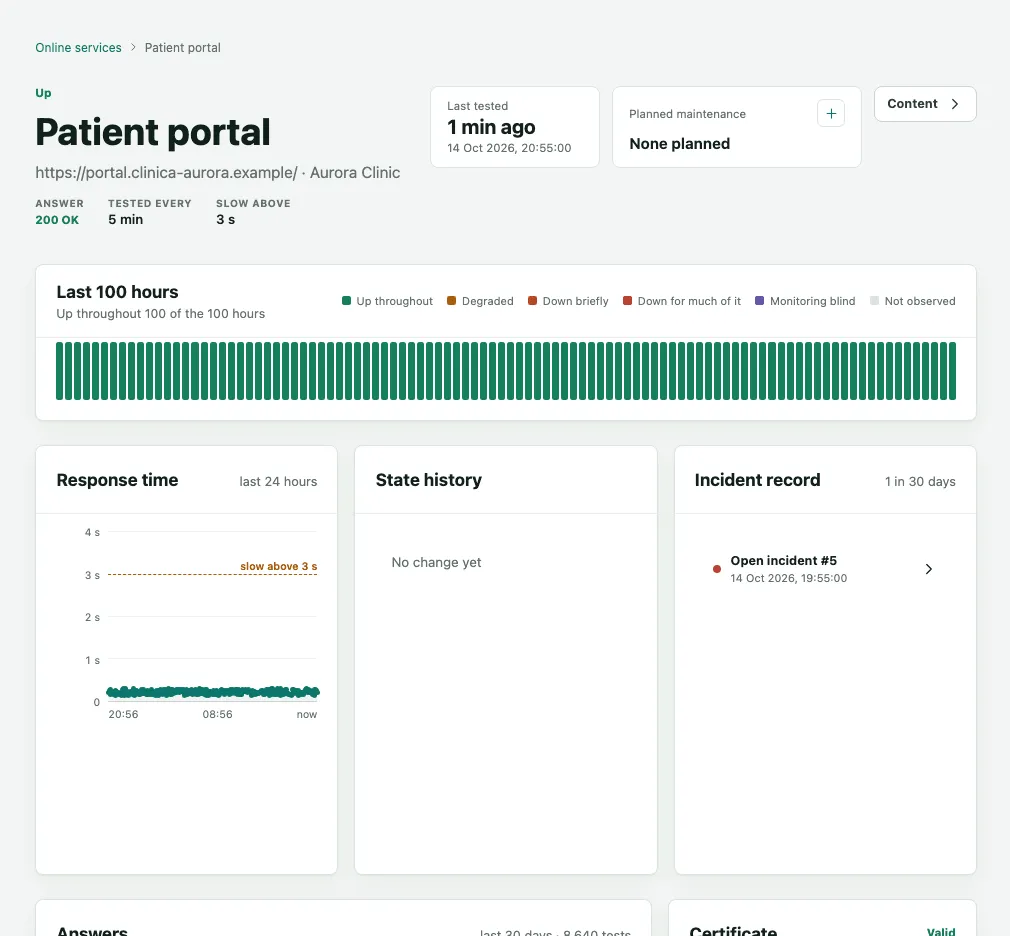
At the top are the website’s state, its address and three figures: Answer (the code the server returned, such as 200 OK), Tested every and Slow above. The website is:
- Up when it answers normally.
- Degraded when it answers but more slowly than the slow limit, or when its security certificate expires within 14 days.
- Down when it does not answer, answers with an error, or its certificate has expired or is not trusted. The outage is confirmed after retries, and only then does an incident open.
Below that come Last 100 hours, Response time over the last 24 hours, State history and Incident record. Further down, Answers sums up the last 30 days of codes, Certificate shows Valid until, Days left and Issued by, and the Observation log keeps every test.
Content changes
When the Also check this website’s content switch is on, Monitor compares the page with a reference: the text and structure the page had when the switch was turned on. There are no content settings: the check uses fixed limits and the website’s own test schedule. A page built entirely by JavaScript cannot be checked and reads as unreadable. That is how it notices, for example, a menu that disappeared, a page that was swapped or text somebody changed without telling anyone.
- In the Websites table, the website with the changed page shows as Content changed, a state worse than Up and better than Down. Click its name.
- On the website’s page, below Answers and Certificate, two sections show the content: the state and what changed, with the This change is expected button and the full comparison, and the content checks, one per round.
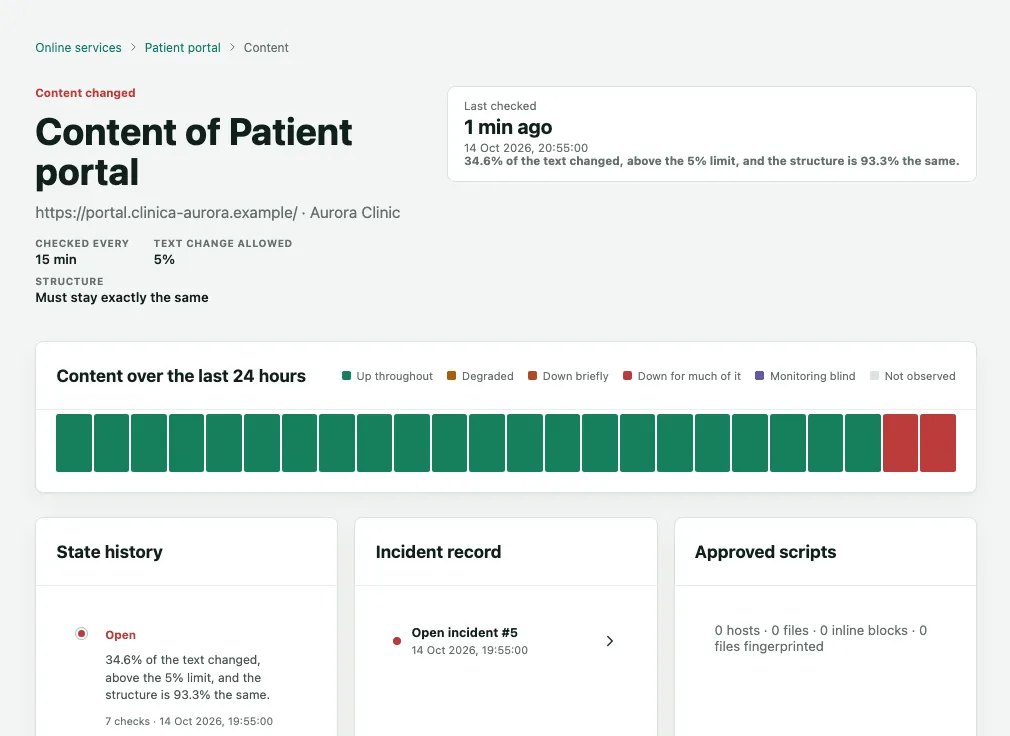
When the page changes more than allowed, Monitor checks again before it concludes. If the change persists, it opens a Content changed incident and alerts the escalation ladder. If the website is down at the same time, there is a single incident, the outage, and the content change stays as a line in the observation log. A slow website plus a content change are two incidents.
This change is expected
If the change was made on purpose, for example a holiday opening-hours notice, close the incident like this:
- Open the incident from the website page’s Incident record, or from Incidents in the sidebar.
- Read Was this change made on purpose?: how many lines and tags changed, whether a new script appeared and Where on the page the change is.
- To see exactly what changed, click See the full comparison. The Removed and Added text appear side by side.
- If the change is expected, click This change is expected. Today’s page becomes the new reference, the incident closes and your name is recorded.
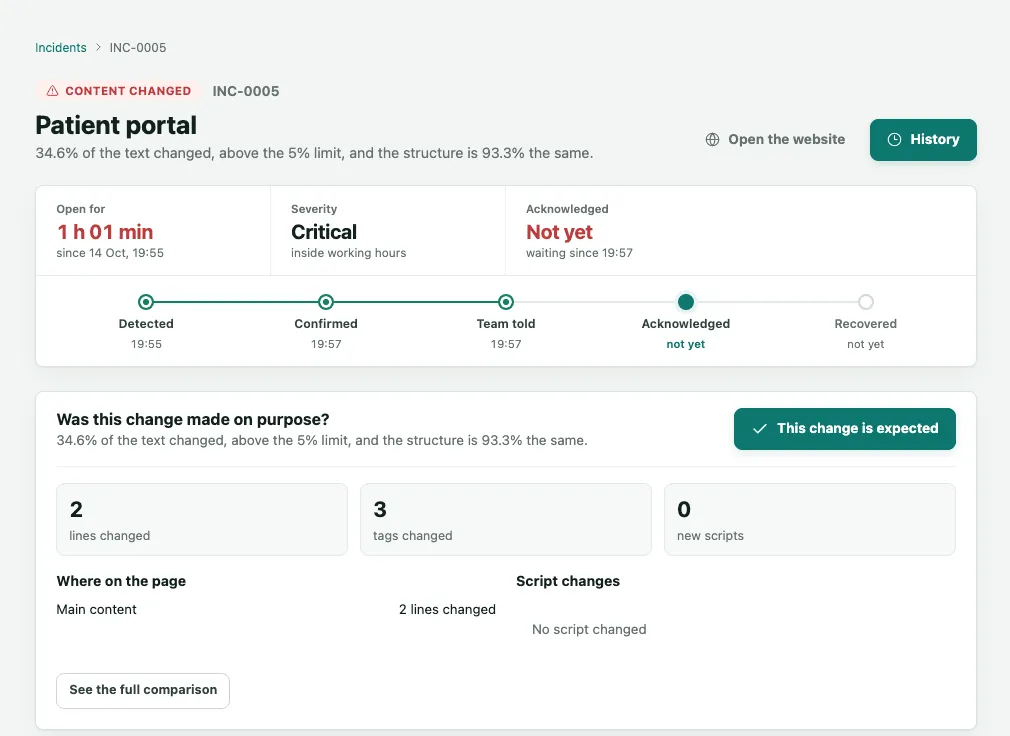
If nobody made the change, do not click: treat it as a problem with the website and talk to whoever looks after it. What the page must show, and the parts that change by themselves, such as a clock or the day’s news, are agreed with 2N5.
A mailbox’s page
An email check sends a test message to your mailbox’s address on a schedule, and checks that it arrived, where it landed and how long it took.
- On the Dashboard, Online services tab, in the Email table, click the check’s name.
- At the top are Tested every and Waits up to, the longest the message may take before it counts as late.
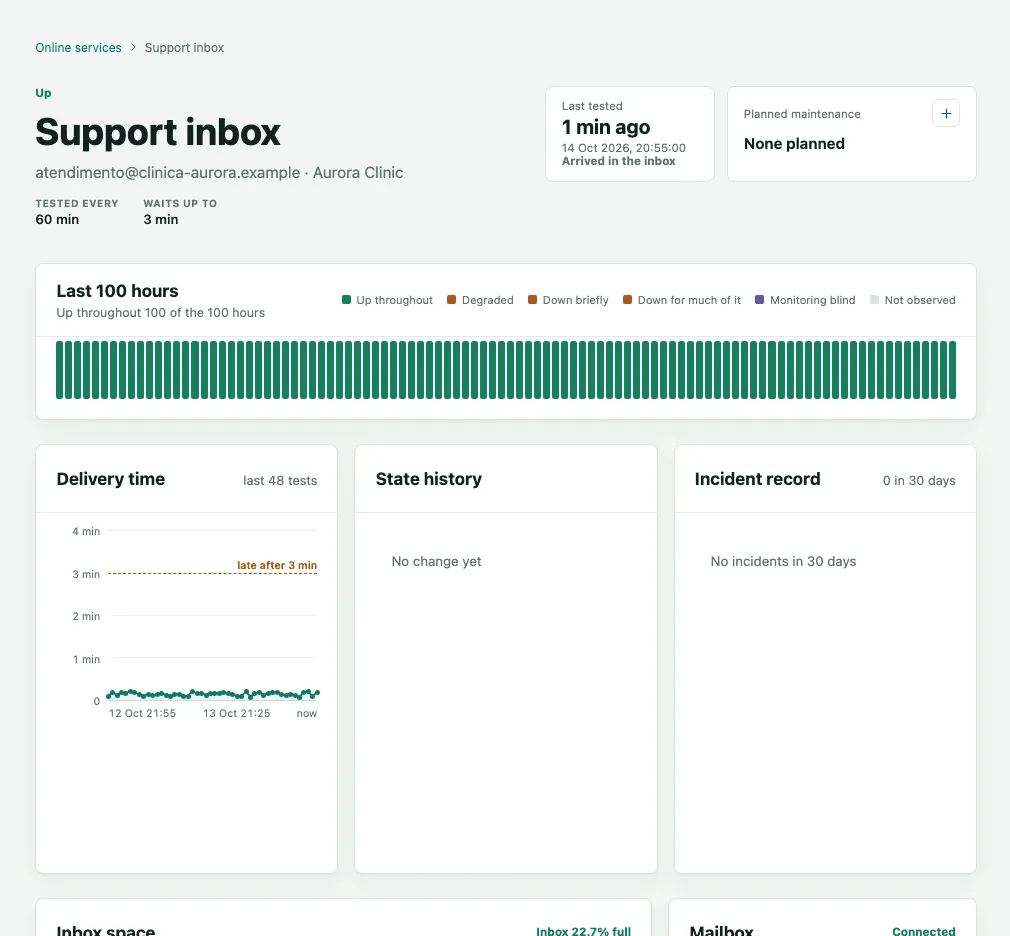
The check is Up when the message reaches the inbox in time, Degraded when it lands in Spam or arrives late, and Down when it does not arrive. The Delivery time chart shows the latest tests. The log shows, for each test, when it was sent, how long it took to arrive, where it landed, whether it was deleted and the sender checks (SPF, DKIM and DMARC). In the dashboard’s Email table, the Inbox bar shows how full the mailbox is.
For the mailbox to be checked, 2N5 sends you a link to connect it. If the link expires before you use it, ask 2N5 for a new one.
Frequently asked questions
Does a content change count against the website's availability?
No. A content change shows the website as Content changed and opens an incident of its own, and never counts as downtime. If the website goes down at the same time, there is a single incident, the outage. Your reports show availability and content changes separately.
Who can click This change is expected?
A manager of the organization, or of the entity the website sits at. Clicking it makes today's page the new reference, closes the incident and records your name. If the change was not made on purpose, do not click it: treat the website as an incident and talk to whoever looks after it.
Does the test message stay in my mailbox?
Usually not. Once Monitor has checked where the message landed, it deletes it, and the log shows Deleted for every test. If the mailbox connection may only read, the message stays and the log says so. For the mailbox to be checked, 2N5 sends you a link to connect it.